
We are happy to announce the availability of our updated MySword for Web 2.0 app which can run on modern browsers (recent versions).
What's New in MySword for Web 2.0 - 12 December 2025
- Reading Plan similar to MySword for Android.
- Create a plan from presets
- Create a Chronological or M'Cheyne plan
- Import a plan
- See reading progress
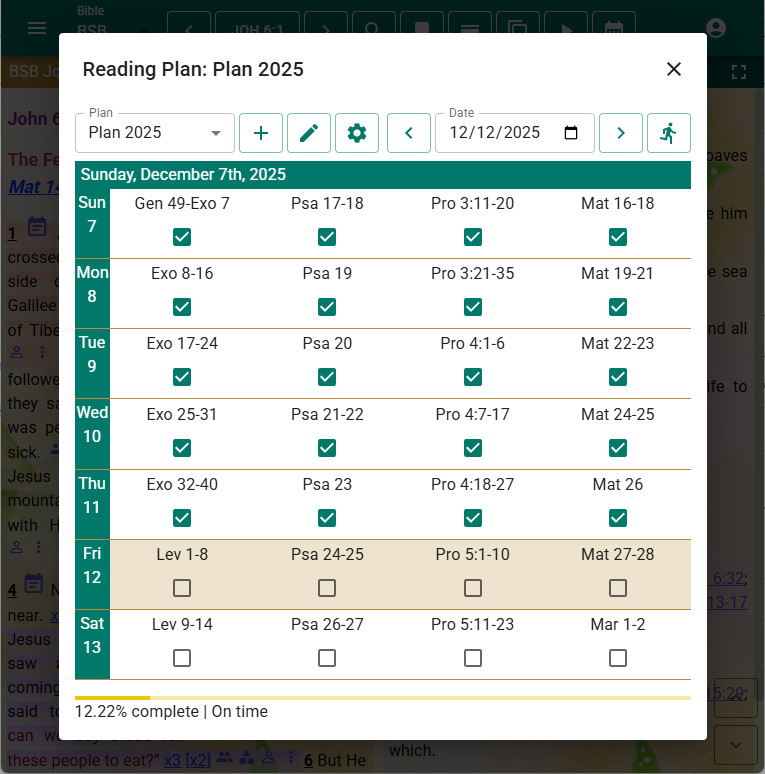
- Manage plans like archiving old plans
- Option to show compact today's reading
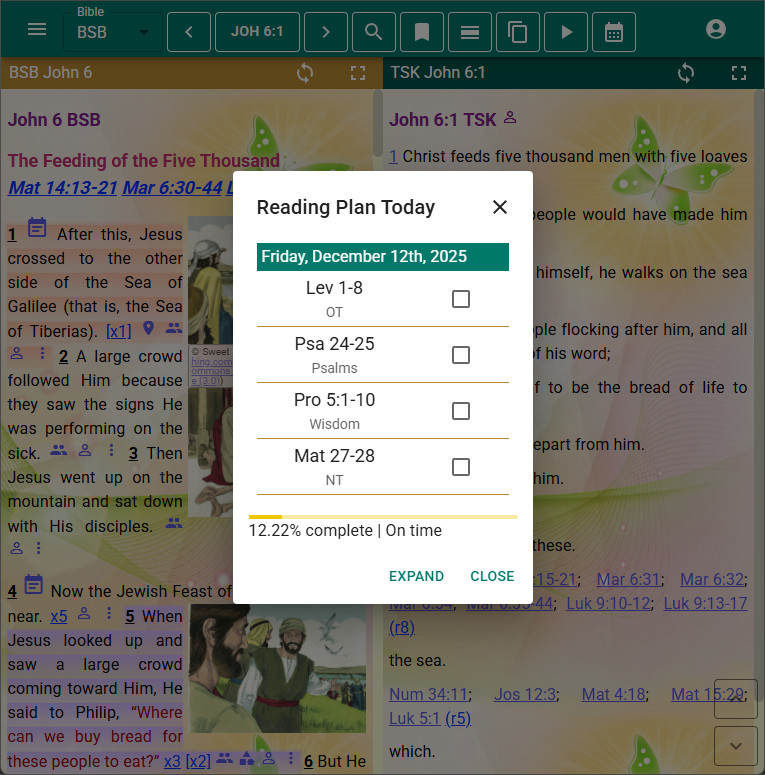
- Backup/Restore included Reading plans and readings.
Non-subscribers are limited to only one plan and loading of the first 30 days.
- Backup/Restore now includes Settings (preferences) for subscribers.
Bugs fixed in MySword for Web 2.0
- Entering zero on Date fields of Notes/Journal details may cause a crash (just a white blank).
- Date icons and pickers are not respecting dark themes in Chrome.
MySword for Web was created for users who wanted to have MySword on different platforms notably iOS and Windows. You can test it by clicking this link:
https://mysword-bible.info/web
It is available for subscription. The demo version resets the saved preferences every 24 hours but bookmarks and highlights are retained. For Notes and Journals, only a maximum of 5 entries can be created on the demo version. For Upload user modules, only one module can be active at a time for the demo version.
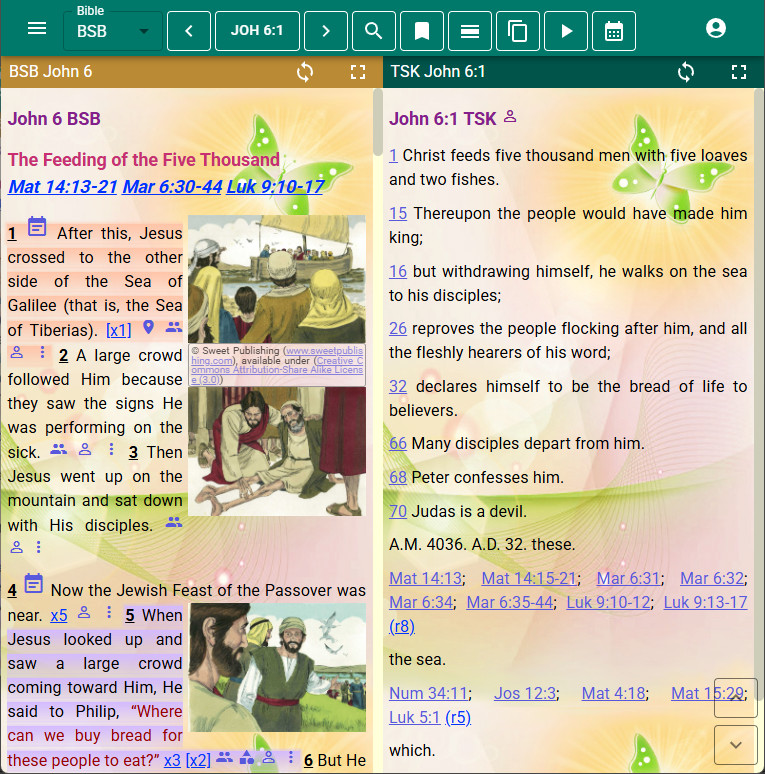
Here is a screenshot with split screen 2 columns in Chrome for Windows.
Features that are already available:
- Bible, Commentary, Dictionary and Book views. Currently, only official modules downloadable on our website are available.
- Split screen.
- Bookmarks for Bible. Support for bookmark groups is available only for subscribers.
- Highlights for Bible.
- Search for all module types that are already available. Currently only Standard search is available in all types and Highlight search for Bible.
- Notes and Journals.
- Backup/Restore of user data (bookmarks, highlights, notes and journals; excluding preferences).
- Upload user modules: unencrypted .mybible bible, dictionary, commentary and book modules.
- Import of MySword for Android Notes and Journals. Non-subscribers can only import the first 5 entries.
- Bible Maps. Non-subscribers can only view maps of verses in the first chapter of all books.
- People Relationships. Non-subscribers can only view relationships of people in the first chapter of all books.
- Copy verse range in Bible view. Non-subscribers can only copy verses in the first chapter of all books.
- Animals, Objects and Plants in the Bible. Non-subscribers can only view animals, objects and plants in the first chapter of all books.
- Bible Pictures. Non-subscribers can only view pictures in the first chapter of all books.
- Compare Commentaries and Dictionaries. Non-subscribers can only use these in the first chapter of all books.
- Option for Commentary and Menu links at the end of each verse. Non-subscribers can only use these in the first chapter of all books.
- Merge adjacent Bible references.
- Bible Text-to-speech. Non-subscribers can only use it in the first chapter of all books.
- Option for Horizontal scrolling when maximized and multiple columns
- Reading Plan
Notes regarding MySword for Web:
- It requires internet access firstly to download the modules (Bibles, commentaries, dictionaries, books), fonts and other resources (HTML, JavaScript, CSS, JSON data, WASM files) into the browser cache so they don't need to be downloaded again (while the browser kept them as per cache policy and might also be cleared later), and for the browser not to put the page offline (though sometimes it will still work).
- All downloaded modules (unzipped SQLite databases) that are used are loaded into memory so adding more modules in Compare will use up memory (the average Bible module size is 5 MiB, so 10 modules will mean 100 MiB so not much). Some dictionaries are big though like WordNet3 which is 86 MiB.
- Preferences are saved on the browser (Local Storage) including Bookmarks, Highlights, Notes and Journals. This means different browsers will have different data. Use Backup/Restore for manual backup and sync.
- We are also planning to have a Cloud Storage option in the future (after March 2025). This will mean auto sync for different devices.
- Other features present in MySword for Android will just be scheduled by priority.
Thank you very much for helping us support MySword for Web, your feedback is much welcome.
MySword for Web is under continuous development and many basic features are already finished. Other advanced features not yet available will be added later.